
I can't access or view my Rewards in my accountUpdated 8 months ago
I can't access or view my Rewards/Points in my account
To view your Flawless Rewards, follow the steps below.
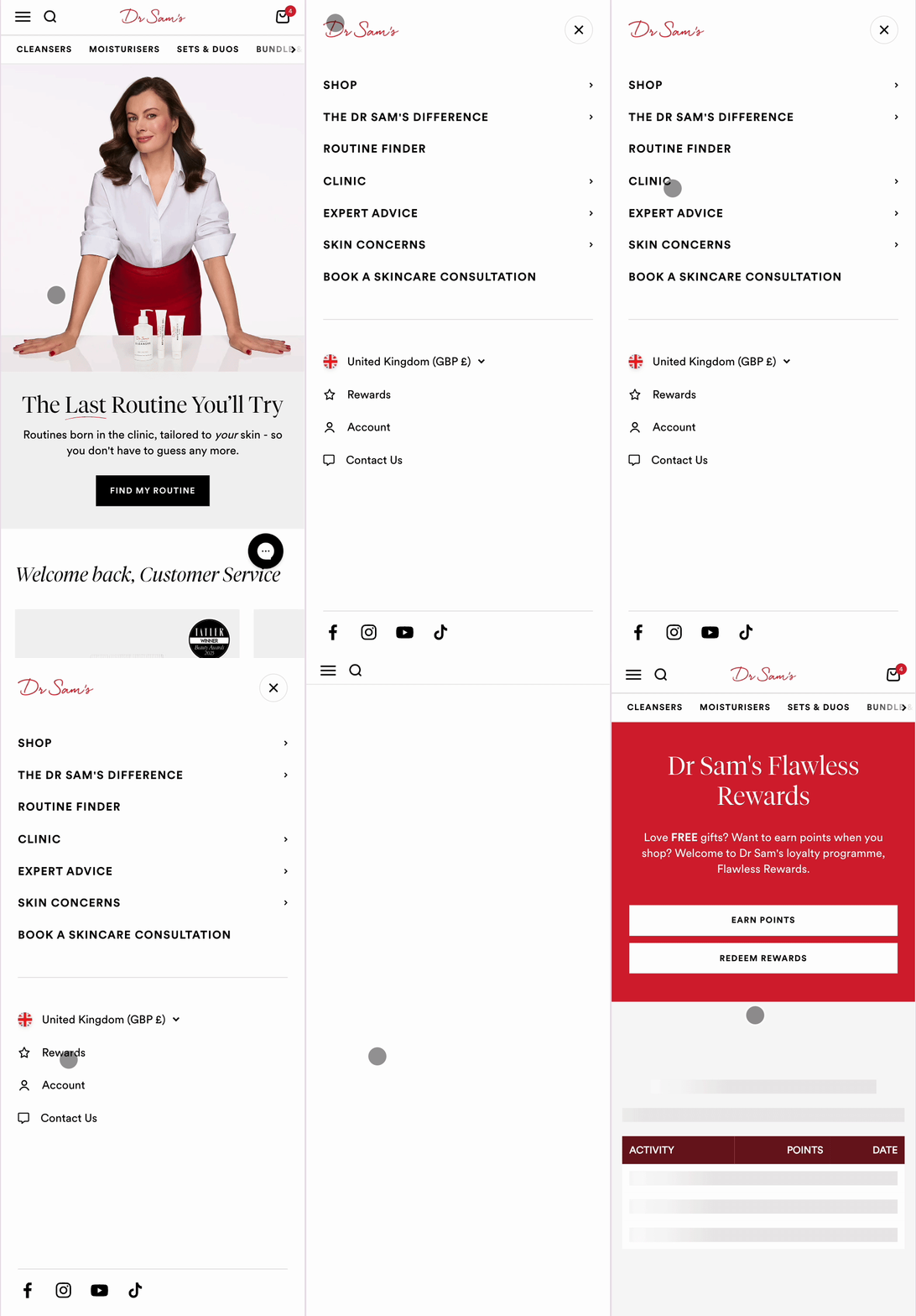
On mobile
- Tap on the three-line menu icon at the top of the page.
- If you're not already logged in, log into your account.
- Once logged in, tap on the star icon at the top right of the page to access your rewards.
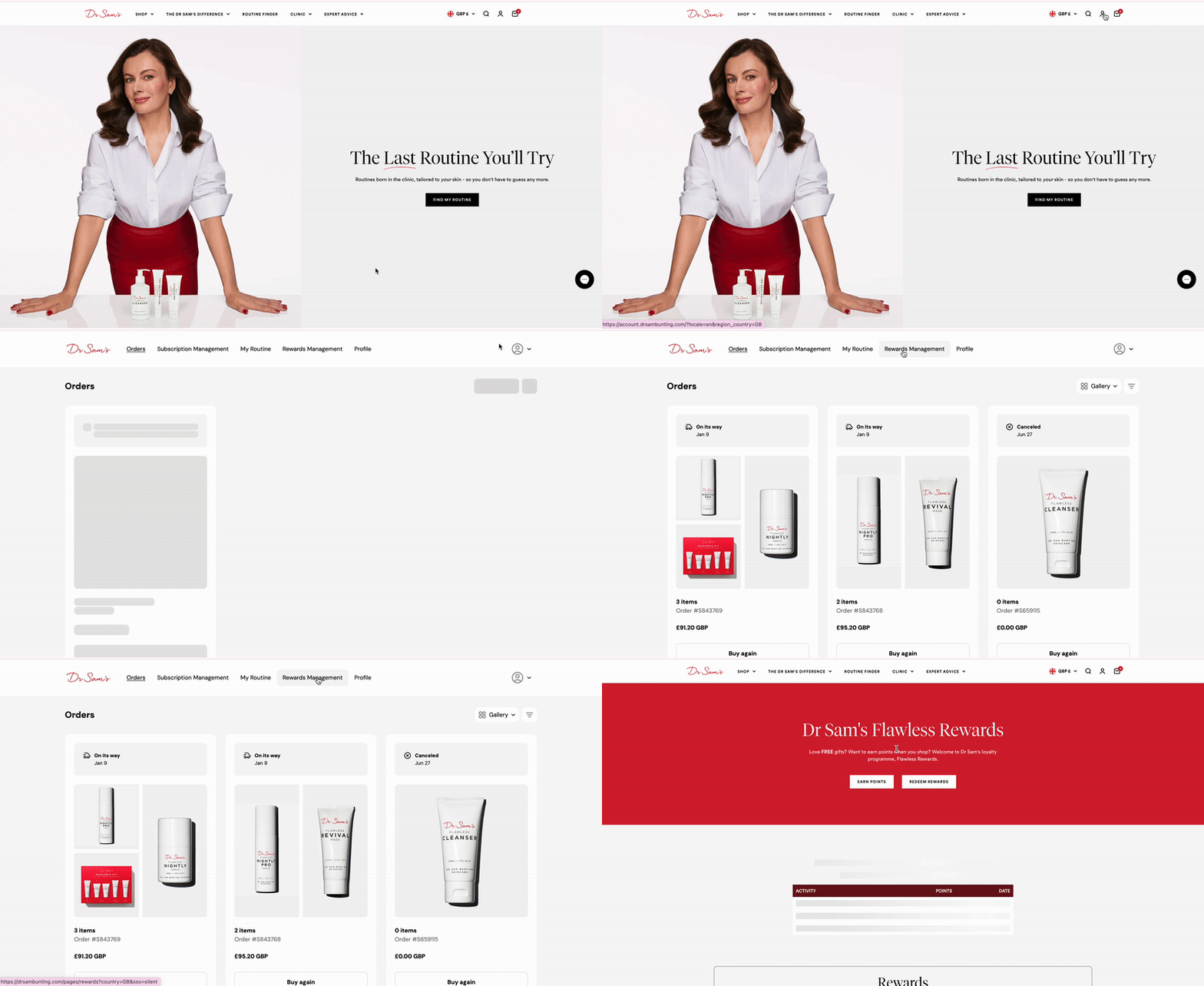
On Desktop
- Click on the person icon at the top right of the page.
- If you're not already logged in, log into your account.
- Once logged in, you will be on your Orders dashboard, click on 'Rewards Management' to access your rewards.
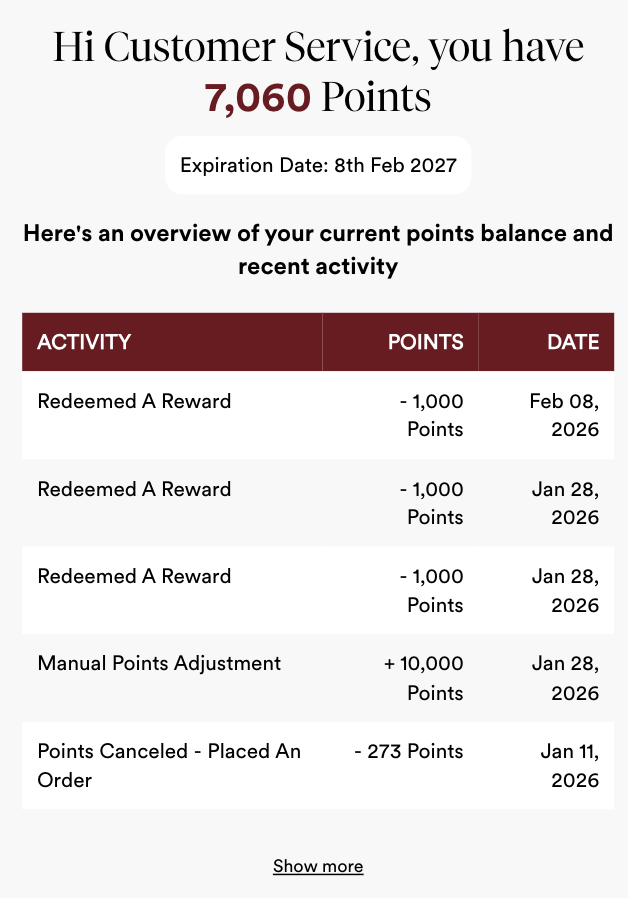
For both mobile and desktop users, the Rewards section is where you can see your Points Activity: points credited for orders or activities, and rewards that were created.
This is where any points that you converted into a Reward live, as well as any Tier Rewards received for moving up a tier.
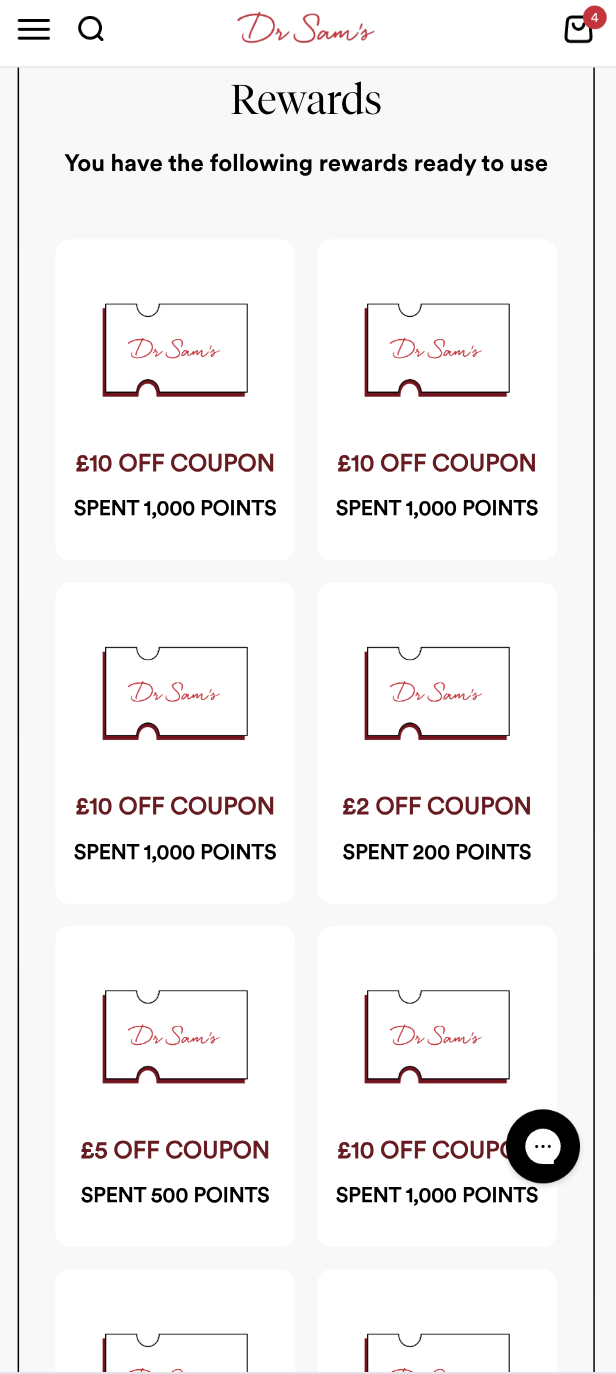
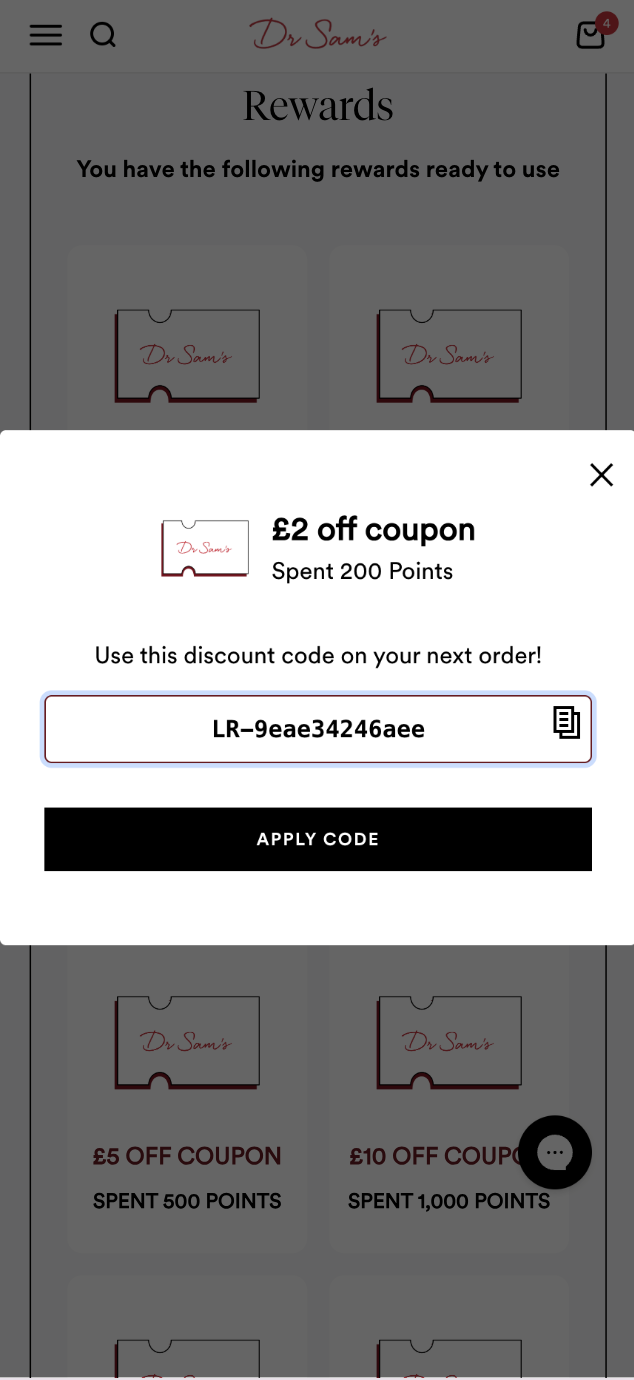
To reveal the code and apply it at checkout, click on the reward. You can either copy the code, or click the black "Apply Code" button so that the reward is automatically applied to your basket. Your Tier Reward can be redeemed the same way.
Please note, you cannot apply this code to a subscription order due to system limitations. Please contact our customer service team 48 hours before your next subscription shipment is due to be processed so that they can add this in for you.
Troubleshooting
If you're having difficulty accessing your Rewards Page, try the following:
- Use a different browser or device, or try Incognito Mode
- Switch your connection (from Wi-Fi to 4G, or vice versa)
- Clear your cache, cookies, and browser history
If the issue persists after trying all of the above, please get in touch at [email protected] with screenshots of what you're seeing and the team will investigate further.