
How to Redeem Your Loyalty PointsUpdated 8 months ago
As a thank you for your loyalty, you're rewarded with points for each order. These points can be redeemed for money off your next order, making your skincare routine even more rewarding.
How it Works
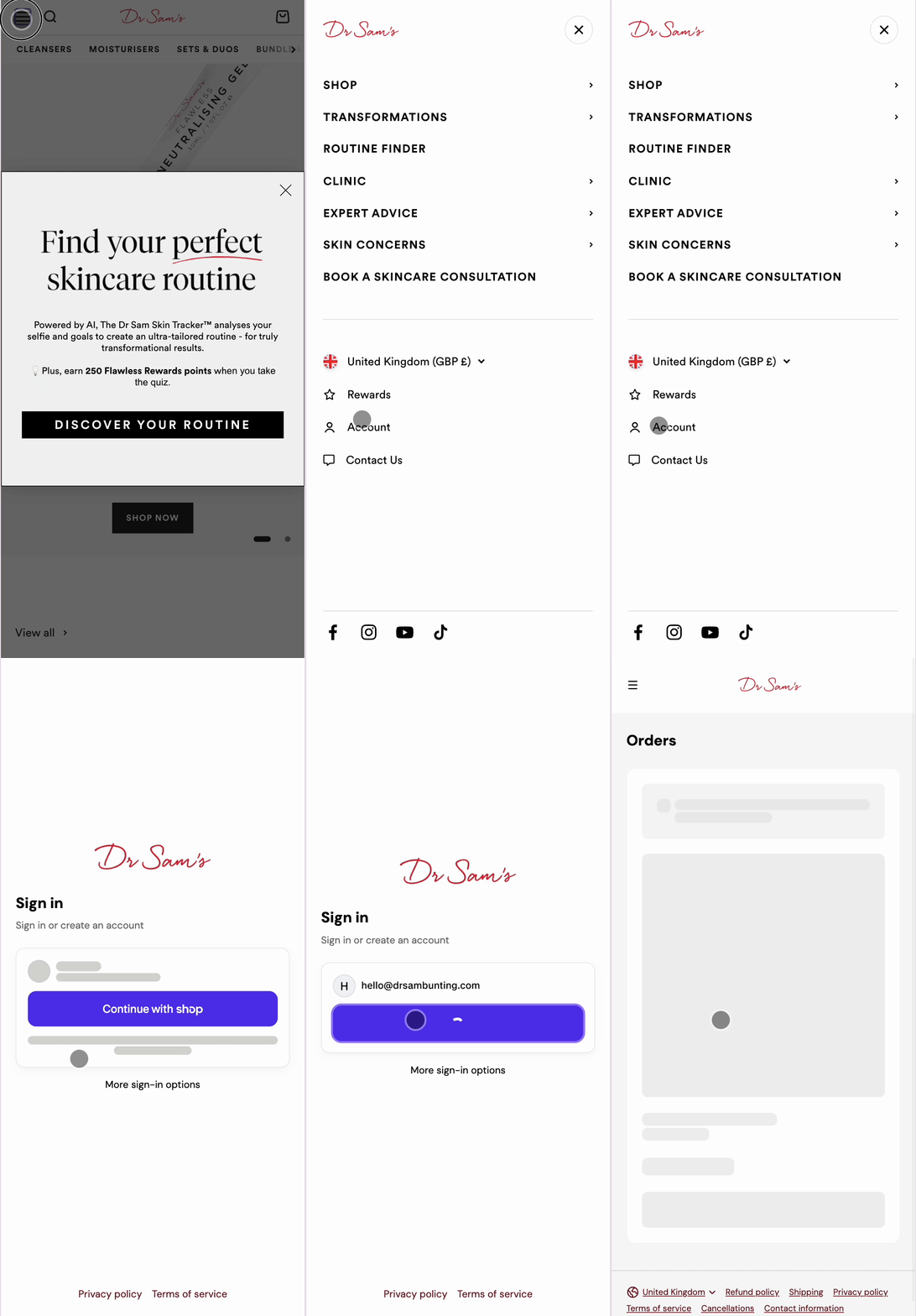
Step 1: Sign into your account
Make sure you're logged into your Dr Sam's account before heading to checkout.
N.B: we are now passwordless, so a code will be sent to your email address, allowing you to log in.
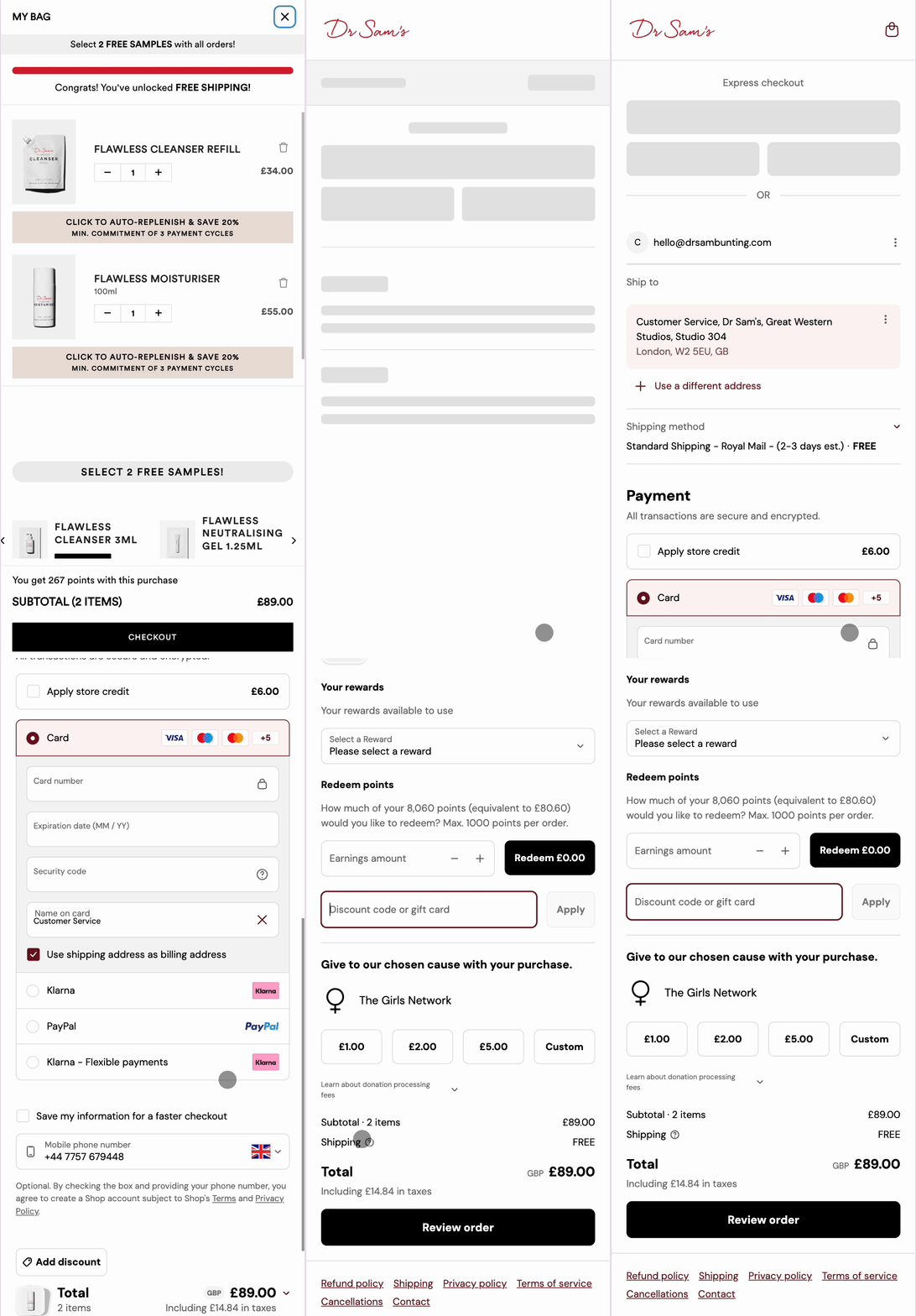
Step 2: Proceed to checkout and click 'Add discount'
Head to checkout and click the 'Add discount' button. This will reveal the redeem points slider where you can select how many points you'd like to use (up to £10 against your order).
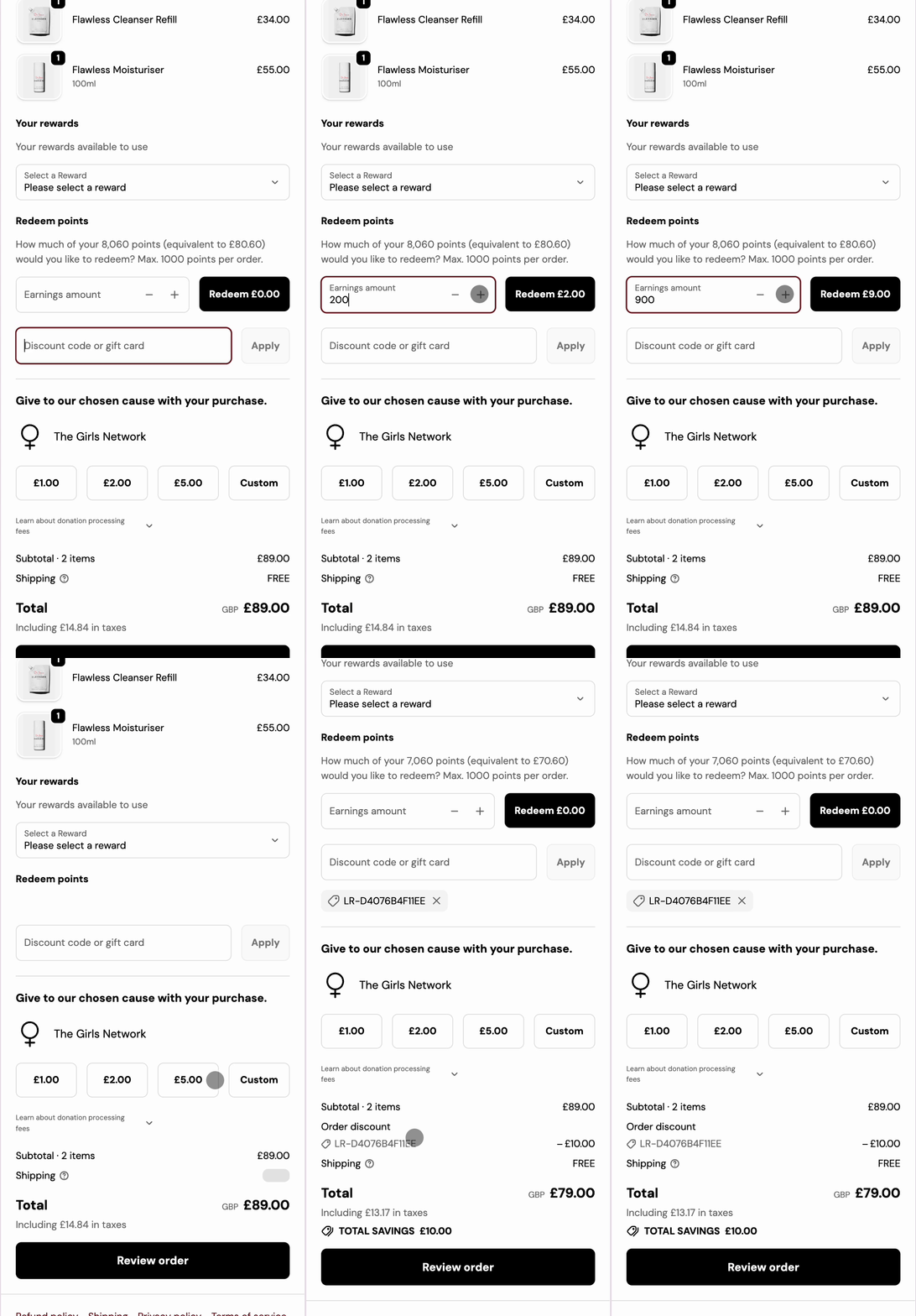
Step 3: Redeem points
Select how much of your points you'd like to redeem by clicking the plus or minus buttons to adjust the earnings amount. You can redeem a maximum of 1000 points (£10) per order. Once you've selected your amount, click the black "redeem" button.
Step 4: Apply a voucher (if you've previously converted points)
If you've already converted your points into a reward voucher, your rewards available to use will appear in a dropdown menu. Select a reward from the dropdown menu to apply it to your order.
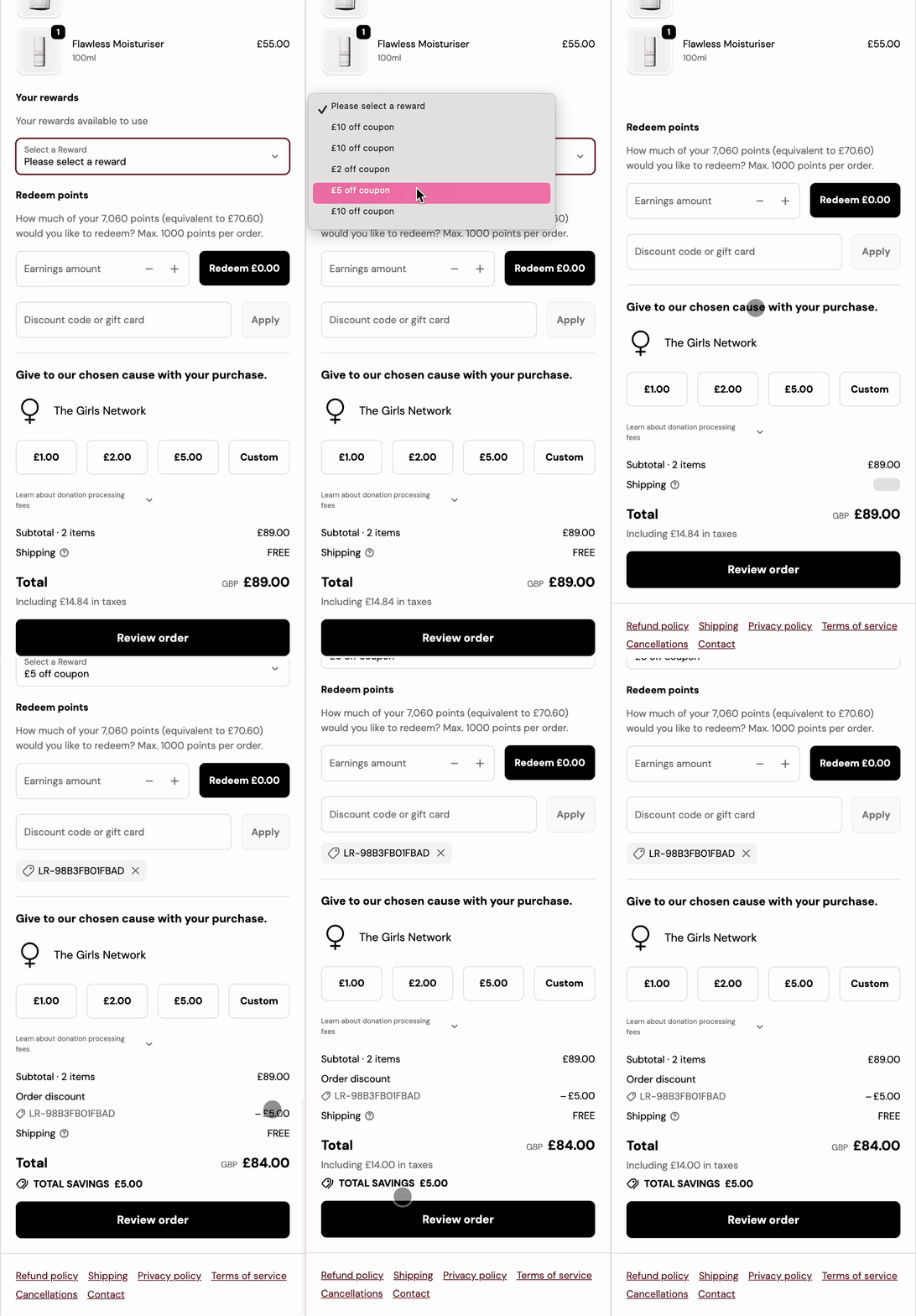
Step 5: Complete your purchase
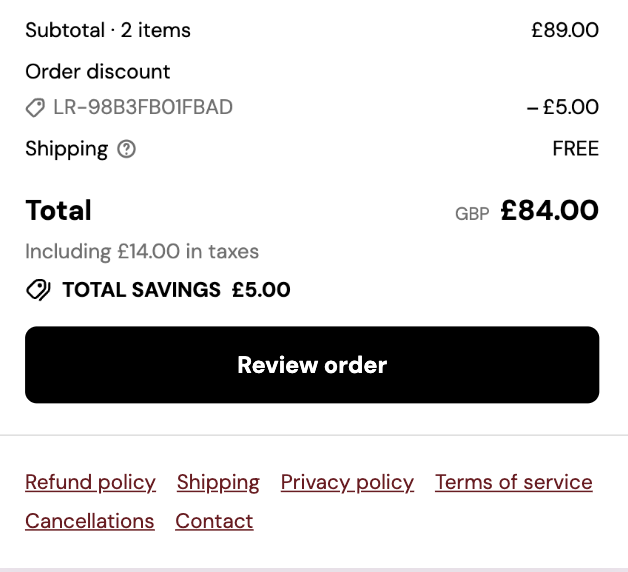
Your discount will be applied automatically, and you can complete your order as usual by clicking "Review Order"
If the Points Slider Doesn't Appear
If you're using the ShopPay checkout method and the points slider doesn't appear, please follow these steps:
- Log into your Dr Sam's account here
- Go to the 'Rewards' tab
- Choose 'Ways to Redeem', select an amount, and click 'Redeem'
- Use the unique code at checkout
Please Note:
- Currently, rewards can only be redeemed alongside one-time purchases and not Auto Replenish orders.
- If you wish to add a one-time purchase to be shipped alongside a subscription order to save on shipping fees, and would like to apply points, please email us as this is something we can do for you.
For further assistance or enquiries regarding redeeming points, feel free to contact our customer support team.